Category: Contractor Solutions

  • Mini Excavator Buying Guide for Small Contractors: Buy, Rent, or Consider a Budget Machine?

    Mini Excavator Buying Guide for Small Contractors: Buy, Rent, or Consider a Budget Machine?

    Choosing a mini excavator is not just about horsepower or digging depth. For a small contractor, the bigger question is whether owning one will save enough time, rental expense, and scheduling headaches to justify the investment.

    A budget mini excavator can cost far less than a comparable machine from an established dealer brand—but purchase price is only part of the equation. Parts, service, downtime, attachments, transportation, warranty, and resale value can matter just as much.

    This guide will help you decide whether it makes more sense to buy, rent, or consider a lower-cost mini excavator for the type of work you actually perform.

    Affiliate Disclosure: GainSelectPro may earn a commission if you purchase through certain links in this article, at no additional cost to you.

    Quick Decision: Buy or Rent?

    Your SituationBuyRentConsider Budget Machine
    Frequent excavation/trenching✓✓
    Occasional projects✓
    Need equipment available anytime✓✓
    Don't want maintenance/storage✓

    The $10,000 Question: When Does Buying Beat Renting?

    Renting a mini excavator can make sense when you only need one occasionally. But as rental days accumulate, the economics can change quickly.

    The real question is not simply “Can I afford to buy one?” It is:

    How many paid rental days would it take before those rental costs begin approaching the cost of owning a lower-priced machine?

    For example, if a contractor spends $350 per rental day, the math looks like this:

    10 rental days = $3,500
    20 rental days = $7,000
    30 rental days = $10,500

    That calculation is intentionally simple. Delivery, pickup, taxes, fuel, insurance, maintenance, financing, storage, repairs and resale value can materially change the real cost on either side.

    GainSelectPro Tip: Track how many days you actually needed an excavator during the last 12 months. Your own utilization may tell you more than any general rule about whether you should buy or rent.

    Budget Mini Excavator vs. Established Dealer Brand

    What to CompareBudget Mini ExcavatorEstablished Dealer Brand
    Purchase priceGenerally lowerGenerally higher
    Dealer networkVerify carefullyOften more extensive
    Parts availabilityVerify before buyingOften well established
    Resale marketMay be less predictableOften stronger
    Service & supportCheck warranty and response processDealer support may be available
    Ownership questionDo the savings justify the added risk?Does support justify the premium?

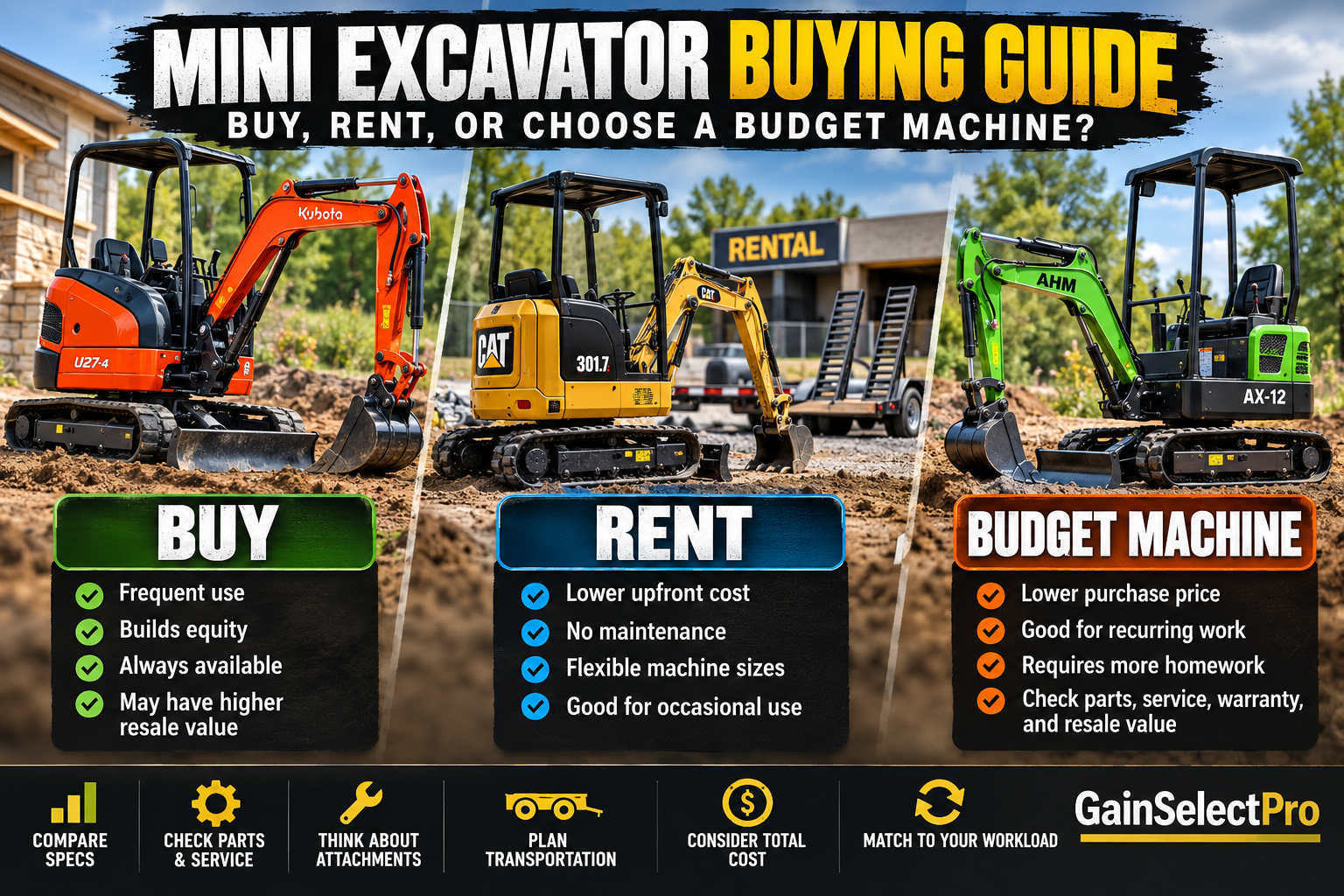
    AHM AX-12 vs. Bobcat E10: What Do the Numbers Show?

    This comparison shows why lower-cost mini excavators deserve attention—but also why specifications alone should never determine the purchase.

    The AHM AX-12 and Bobcat E10 occupy a similar compact working class, but their purchase prices are dramatically different. That makes them useful examples of the budget ownership vs. established dealer-brand decision.

    SpecificationAHM AX-12Bobcat E10
    Listed price$6,799.99*
    Horsepower13.5 HP10.2 HP
    Operating weight2,227 lb2,593 lb
    Max. dig depth73 in.72 in.
    Bucket digging force2,585 lbf1,865 lbf
    Current statusSold out*Check dealer/current availability

    Prices, specifications and availability can change. AHM AX-12 availability should be checked before purchasing.

    Interested in a budget mini excavator? Check the current AHM AX-12 price and availability →

    Don’t Compare Specs Alone

    Horsepower, digging depth, weight, and digging force are easy to compare. The harder questions often determine whether a machine becomes a good investment or an expensive headache.

    Before buying any mini excavator, check:

    Parts availability — How quickly can common replacement parts be obtained?
    Service — Who can repair the machine locally?
    Warranty — What is covered, for how long, and who handles the claim?
    Attachments — Are buckets, augers, thumbs, breakers, and other attachments readily available?
    Transportation — Can your existing truck and trailer legally and safely transport the machine and attachments?
    Resale value — What might the machine be worth when you eventually replace it?

    GainSelectPro Tip: A lower purchase price can be attractive, but downtime has a price too. Compare the total ownership experience—not just the specifications on the product page.

    One Jobsite, Several Equipment Decisions

    A mini excavator may handle the digging, but many projects require several machines before the job is finished. Thinking about the entire workflow can help contractors avoid buying the wrong equipment—or renting something they already use frequently.

    DIG → Mini Excavator
    Trenches, drainage, utilities, excavation, and site preparation.

    COMPACT → Plate Compactor
    Compact base material, backfill, and prepared surfaces before the next stage of construction.

    MIX → MudMixer
    For projects where concrete or similar bagged materials need to be mixed efficiently on site.

    CUT → Husqvarna K770 Power Cutter
    Concrete, masonry, and other cutting applications depending on blade and configuration.

    CORE → Core Drill
    Create controlled openings through concrete and masonry for plumbing, electrical, HVAC, and other installations.

    So, Should You Buy or Rent?

    BUY if you use a mini excavator frequently enough that rental costs, scheduling, and repeated delivery charges are becoming a regular business expense.

    RENT if excavation is occasional, your projects require different machine sizes, or you would rather avoid maintenance, storage, transportation, and repair responsibilities.

    CONSIDER A BUDGET MACHINE if you have recurring work, limited capital, and are comfortable doing more homework on parts, service, warranty support, and resale value.

    There is no universal answer. The best choice is the machine—or rental strategy—that produces the lowest practical cost while keeping your crews productive.

    Explore AHM Mini Excavators

    AHM offers several compact excavator configurations at prices below many established dealer-brand machines. Before purchasing, compare the model’s specifications, current availability, attachments, warranty, parts support, and shipping requirements with the work you actually perform.

    Check current AHM mini excavators and availability →

    Final Thoughts

    A mini excavator can be one of the most useful machines on a small contractor’s jobsite—but only when the workload justifies ownership.

    Before buying, look beyond horsepower and digging depth. Consider how often you will use the machine, what renting currently costs you, how you will transport it, where you will get parts and service, and what downtime could cost your business.

    A lower-cost machine may make ownership possible much sooner. An established dealer brand may offer advantages in service, parts availability, and resale. Renting may still be the smartest choice when usage is limited.

    The goal isn’t to own more equipment. The goal is to have the right equipment available at the lowest practical cost.

    Compare current AHM equipment and availability →

  • Construction Estimating Software for Small Contractors: What Do You Actually Need?

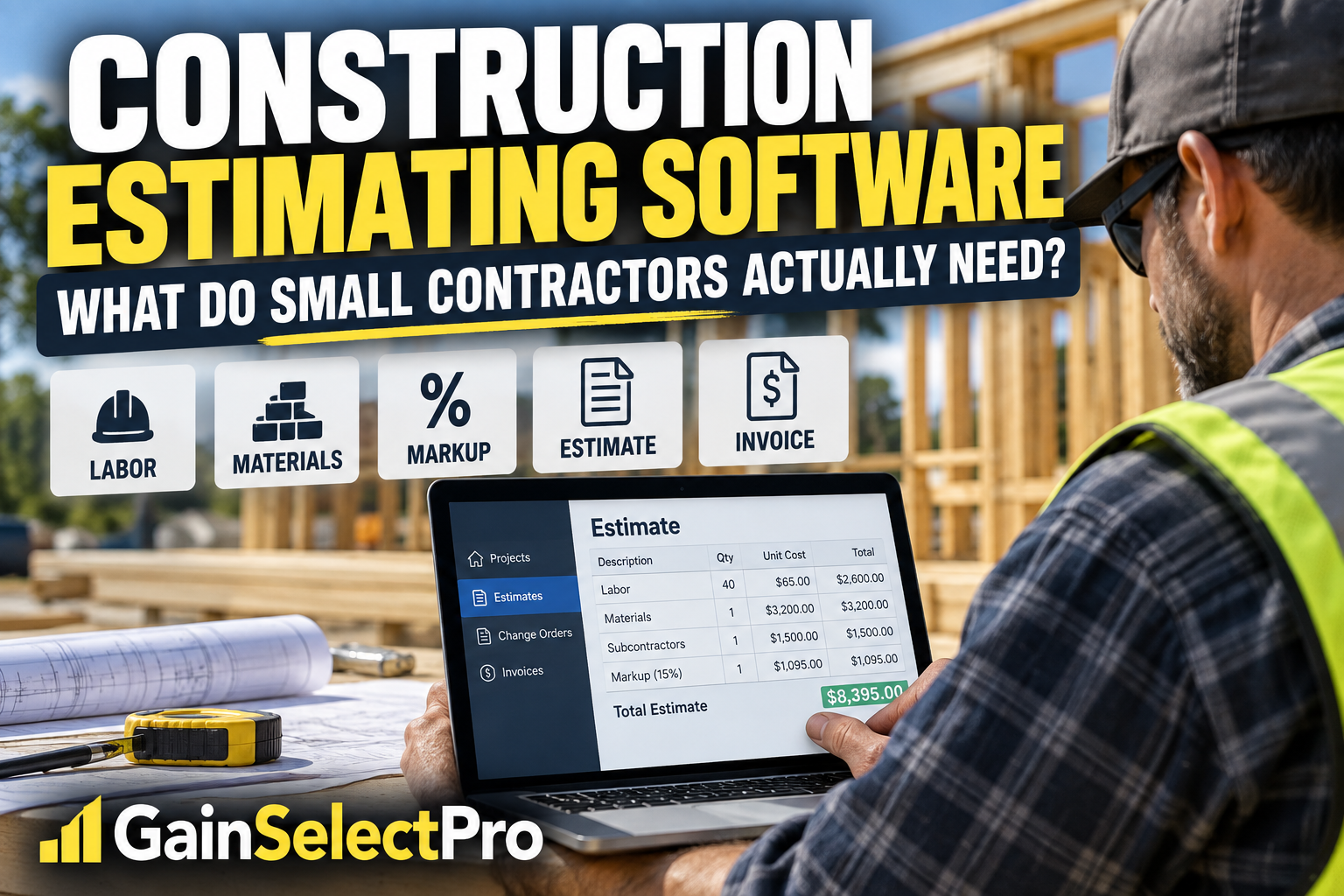
    Construction Estimating Software for Small Contractors: What Do You Actually Need?

    Quick Answer: What Should Construction Estimating Software Do?

    For a small contractor, estimating software should do more than replace a calculator or spreadsheet.

    The right system should help you organize material, labor, equipment, subcontractor, and other costs; apply appropriate markups; create professional estimates; manage changes; turn approved work into invoices; and keep important job information organized.

    But more features are not always better.

    A small contractor who mainly needs faster estimating and invoicing may not need the same system as a larger company managing multiple crews, dispatching technicians, and coordinating dozens of projects.

    The goal is to find software that fits the way your business actually works.

    Start With the Problem You Are Trying to Solve

    Before comparing software, identify where your current process is costing you time or creating mistakes.

    Are estimates taking too long?

    Are material and labor costs difficult to reuse from one estimate to another?

    Are change orders getting lost?

    Are you creating estimates in one program and then entering the same information again into accounting software?

    Are invoices taking too long to prepare?

    Those problems matter more than having the longest possible list of features.

    Look for Reusable Costs and Job Templates

    Re-entering the same information for every project wastes time and increases the opportunity for mistakes.

    For contractors who perform similar types of work repeatedly, reusable cost databases and job templates can make estimating much faster.

    Instead of rebuilding every estimate from scratch, the contractor can start with previously organized costs and adjust quantities and project-specific details.

    That can be especially useful for remodelers, specialty contractors, and other businesses that regularly perform similar scopes of work.

    Make Sure Markups Are Part of the Estimate

    Winning a job does not necessarily mean making money on it.

    An estimate needs to account for more than the obvious material and labor costs. Depending on the business, overhead, profit, taxes, equipment, subcontractors, contingencies, and other costs may also need to be considered.

    Good estimating software should make it easier to consistently apply the contractor’s own estimating rules instead of relying on memory for every bid.

    Don’t Forget Change Orders

    Projects change.

    A customer adds something. A scope changes. Materials change. Unexpected conditions appear.

    When those changes are handled informally, contractors can perform work that never makes it onto the final invoice.

    For contractors whose projects frequently change after the original estimate is approved, change-order management can be an important feature.

    Think Beyond the Estimate

    The estimate is only the beginning of the financial workflow.

    Once the customer approves the work, the contractor may need to create invoices, record payments, prepare progress invoices, generate purchase orders, and keep track of what has changed since the original agreement.

    If your estimating software can carry information forward instead of forcing you to enter it repeatedly, it may reduce administrative work.

    Do You Need QuickBooks Integration?

    If you already use QuickBooks Online, integration deserves careful consideration.

    Construction estimating software and accounting software solve different problems.

    Estimating software can help build the job financially before and during the project, while accounting software handles broader business accounting functions.

    Connecting the two can reduce duplicate data entry, but contractors should understand exactly what information synchronizes and how the workflow is supposed to operate before relying on an integration.

    Simple Estimating Software or Full Contractor Management?

    This is an important distinction.

    Some contractors primarily need:

    • Estimating
    • Professional proposals
    • Invoicing
    • Payments
    • Change orders
    • Cost organization

    Others also need:

    • Employee scheduling
    • Crew dispatching
    • Lead management
    • Customer relationship management
    • Time tracking
    • Complex project scheduling
    • Broader field-service management

    If you need the second group, you may want a broader contractor-management platform.

    If your biggest problem is creating accurate estimates and carrying those estimates through invoicing and payment, a more focused system may make more sense.

    ContractorTools: One Option to Consider

    ContractorTools is designed specifically for general contractors and subcontractors.

    Its features include construction estimates, custom cost databases, reusable job templates, automatic markup calculations, invoicing and payment functions, and QuickBooks Online synchronization. Some functionality depends on the plan selected.

    More advanced functionality includes features such as change orders, purchase orders, progress invoicing, and draw schedules.

    ContractorTools can also work with optional Craftsman construction cost data, which may be useful for contractors who want an additional source of construction cost information when preparing estimates.

    This makes ContractorTools particularly interesting for contractors whose primary workflow runs from:

    Estimate → Approved Job → Changes → Invoice → Payment → Accounting

    It may be less appropriate for a business primarily looking for a large field-service platform centered on dispatching crews, sophisticated scheduling, or extensive CRM functions.

    Affiliate Disclosure: GainSelectPro may earn a commission if you use our link to sign up for ContractorTools, at no additional cost to you. Our goal is to provide useful information so you can decide whether a product or service fits your business.

    Explore ContractorTools

    Questions to Ask Before Choosing Any Estimating Software

    Before committing to any system, ask yourself:

    • Can I build estimates the way I actually price my jobs?
    • Can I reuse common costs and project templates?
    • Can I handle changes after the customer accepts the original estimate?
    • Can estimate information flow into invoices without starting over?
    • Does it work with the accounting system I already use?
    • Can I understand the workflow without spending more time managing software than managing jobs?
    • Does the software solve a problem that is actually costing my company money?

    Those questions are more important than choosing software simply because it has the most features.

    Final Thoughts

    Construction estimating software should make the business easier to run—not simply add another piece of technology to manage.

    For some small contractors, improving the estimating-to-invoice process may deliver more value than purchasing a large construction-management platform with features they rarely use.

    For others, estimating is only one part of a much larger scheduling, field-management, and customer-management problem.

    Start with your workflow.

    Identify where time, information, or money is being lost.

    Then choose the software that addresses those problems without adding unnecessary complexity.

    Better tools should lead to better decisions—not more work.

  • Plate Compactor Buying Guide: What Size Do You Need and Should You Buy or Rent?

    Plate Compactor Buying Guide: What Size Do You Need and Should You Buy or Rent?

    Choosing a plate compactor based only on price, horsepower, or compaction force can lead to buying more machine than you need—or a machine that isn’t suited to the material you’re trying to compact.

    A contractor preparing a paver patio has different requirements from a crew compacting a deep aggregate base, asphalt repair, or a larger commercial area. Machine weight, plate size, centrifugal force, maneuverability, material type, and whether the compactor moves forward only or can reverse all affect the decision.

    There is also another question worth answering before buying: how often will you actually use it?

    For some contractors, owning a plate compactor can eliminate repeated rental trips and scheduling problems. For others, renting a heavier professional machine when needed may make better financial sense.

    This guide explains the differences so you can narrow down the type of plate compactor that fits your work before comparing individual machines.

    Affiliate Disclosure: GainSelectPro may earn a commission if you purchase through certain links on this page, at no additional cost to you. Our goal is to provide useful information that helps you evaluate the options for your needs.

    Quick Answer: What Type of Plate Compactor Do You Need?

    For most smaller residential jobs involving paver bases, walkways, patios, sand, gravel, or compacted aggregate, a forward plate compactor is usually the type of machine to investigate first.

    For larger areas, deeper lifts, heavier aggregate, or jobs requiring greater compaction capability and easier movement in both directions, a heavier reversible plate compactor may be more appropriate.

    The important point is that bigger numbers do not automatically mean a better purchase. The machine needs to match the material, required compaction, job size, access conditions, and how frequently you expect to use it.

    Forward vs. Reversible Plate Compactors

    Forward plate compactors move primarily in one direction and are generally lighter, simpler, and easier to maneuver. They are commonly used for smaller areas and granular materials such as sand, gravel, crushed stone, and paver base.

    Reversible plate compactors can move both forward and backward. They are typically heavier and designed for more demanding compaction work, larger areas, and situations where turning a machine around repeatedly would be difficult.

    The extra capability comes with tradeoffs. Reversible machines generally cost more, weigh more, and can be more difficult to transport. A contractor working primarily on patios, walkways, landscaping, or smaller repair jobs may not benefit from paying for a machine designed for heavier applications.

    On the other hand, contractors regularly handling larger aggregate bases or more demanding compaction work may find that the additional weight, force, and maneuverability of a reversible machine justify the higher investment.

    Match the Plate Compactor to the Material

    The material being compacted should be one of the first factors in choosing a machine.

    Granular materials such as sand, gravel, crushed stone, and many types of paver base generally respond well to vibratory plate compactors. These materials contain particles that can move and settle more tightly together when vibration is applied.

    Paver projects also require attention to the finished surface. When compacting installed pavers, a compatible protective pad may be needed to reduce the risk of scratching, chipping, or marking the surface.

    Asphalt work can introduce different requirements, including keeping material from sticking to the plate. Some compactors designed for asphalt applications are available with water-tank or sprinkler systems.

    Cohesive soils such as wet clay behave differently from granular materials. A standard forward plate compactor may not be the appropriate tool for every clay or trench-compaction application, so the soil type and project requirements should be considered before choosing equipment.

    The goal is not to purchase the machine with the largest compaction-force number. It is to use equipment appropriate for the material and the depth being compacted.

    How Much Compaction Force Do You Need?

    Compaction force is important, but it should not be evaluated by itself.

    Manufacturers may describe compaction performance using centrifugal force, vibration frequency, machine weight, plate dimensions, travel speed, and recommended compaction depth. Looking only at the largest force number can therefore give an incomplete picture.

    For smaller residential projects, maneuverability and the ability to work effectively with the material may matter more than purchasing the heaviest machine available.

    As projects become larger, lifts become deeper, or aggregate becomes more demanding, additional machine weight and compaction capability may become increasingly important.

    Plate width matters too. A wider plate can cover more area with each pass, while a narrower machine may be easier to maneuver through gates, along edges, around landscaping, and in other confined areas.

    Before purchasing, compare the manufacturer’s intended applications and specifications with the material, lift depth, access conditions, and compaction requirements of the work you expect to perform.

    Should You Buy or Rent a Plate Compactor?

    Buying a plate compactor can make sense when the machine will be used repeatedly across multiple projects. Ownership can eliminate rental pickup and return trips, reduce scheduling constraints, and allow the equipment to be available whenever base preparation or compaction work is needed.

    Renting may make more sense when compaction work is occasional, when a project requires a specialized or unusually heavy machine, or when the cost of ownership cannot be justified by expected use.

    Before buying, consider the entire cost of the decision—not just the purchase price. Think about:

    How often the machine will actually be used

    Local rental rates and rental periods

    Time spent picking up and returning rental equipment

    Transportation and loading requirements

    Storage space

    Fuel and maintenance

    The possibility that different projects may require different types or sizes of compactors

    A contractor who repeatedly rents the same type of machine may eventually reach a point where ownership becomes financially attractive. But a contractor who needs compaction equipment only occasionally may benefit from keeping that money available for other tools and renting the appropriate machine when needed.

    The best comparison is therefore not simply purchase price versus one day’s rental rate. It is the total cost and convenience of each option across the amount of work you realistically expect to perform.

    Don’t Ignore Weight, Transport, and Jobsite Access

    A plate compactor may help move itself forward while vibrating, but transporting and positioning the machine is another matter.

    Machine weight can improve compaction performance, but it also affects loading, unloading, turning, storage, and movement around a jobsite.

    Before buying, consider whether the machine can realistically fit through the gates, walkways, trenches, or other restricted areas where you expect to work. Also check whether it includes transport wheels, a folding handle, practical lifting points, or other features that make moving it easier.

    For a small crew or one-person operation, a lighter machine that can be transported and maneuvered efficiently may sometimes be more useful than a heavier machine with greater advertised compaction force.

    Think about the entire trip: getting the compactor into the truck or trailer, unloading it, moving it to the work area, operating it around obstacles, and loading it again when the job is finished.

    A machine that looks ideal on a specification sheet can become inconvenient very quickly if it does not fit the way you actually work.

    Forward Plate Compactor or Jumping Jack?

    Plate compactors and jumping jacks, also called tamping rammers, compact soil differently and are generally suited to different types of work.

    A vibratory plate compactor uses a relatively wide, flat plate and is commonly used on granular materials such as sand, gravel, crushed stone, and paver base. The wider plate also makes it practical for covering relatively flat areas.

    A jumping jack uses a much smaller foot and delivers concentrated impact to the ground. This design can make a rammer better suited to confined areas, trenches, and certain cohesive soils where a standard plate compactor may not be the most appropriate choice.

    The two machines should therefore not be selected simply by comparing compaction-force specifications. Consider the material, size and shape of the work area, required compaction, and the equipment manufacturer’s recommended applications.

    For contractors who primarily install pavers, prepare walkways, compact gravel bases, or work on similar relatively flat areas, a plate compactor will often be the category to investigate first. For narrow trench work or applications involving cohesive soil, a rammer may deserve consideration instead.

    What Size Plate Compactor Should You Buy?

    There is no single plate compactor size that is right for every contractor. The right size depends on the material, size of the work area, required compaction, access to the jobsite, and how the machine will be transported.

    For smaller residential work such as patios, walkways, landscaping, and paver-base preparation, a lighter forward plate compactor may provide the maneuverability and portability that matter most.

    As the work area becomes larger or the aggregate base becomes more demanding, contractors may benefit from a heavier machine with a larger plate and greater compaction capability. Larger machines can cover more ground and provide additional compaction, but they also require more effort and equipment to transport.

    For larger commercial work or applications requiring repeated passes over substantial aggregate bases, a heavier reversible plate compactor may be worth considering.

    Instead of choosing a machine based on one specification, compare several factors together:

    Machine weight

    Plate width and dimensions

    Centrifugal or compaction force

    Vibration frequency

    Recommended compaction depth

    Forward or reversible operation

    Travel speed

    Transport and loading requirements

    The goal is to buy enough machine for the work you regularly perform without paying for size, weight, and capability that you rarely need.

    Plate Compactors to Consider

    Rather than looking for one plate compactor that is “best” for every contractor, it is more useful to compare machines designed for different levels and types of work.

    The examples below represent several categories worth considering—from lighter forward compactors for smaller jobs to heavier reversible machines for more demanding applications.

    Prices, availability, specifications, and promotions can change, so always verify the current product information before purchasing.

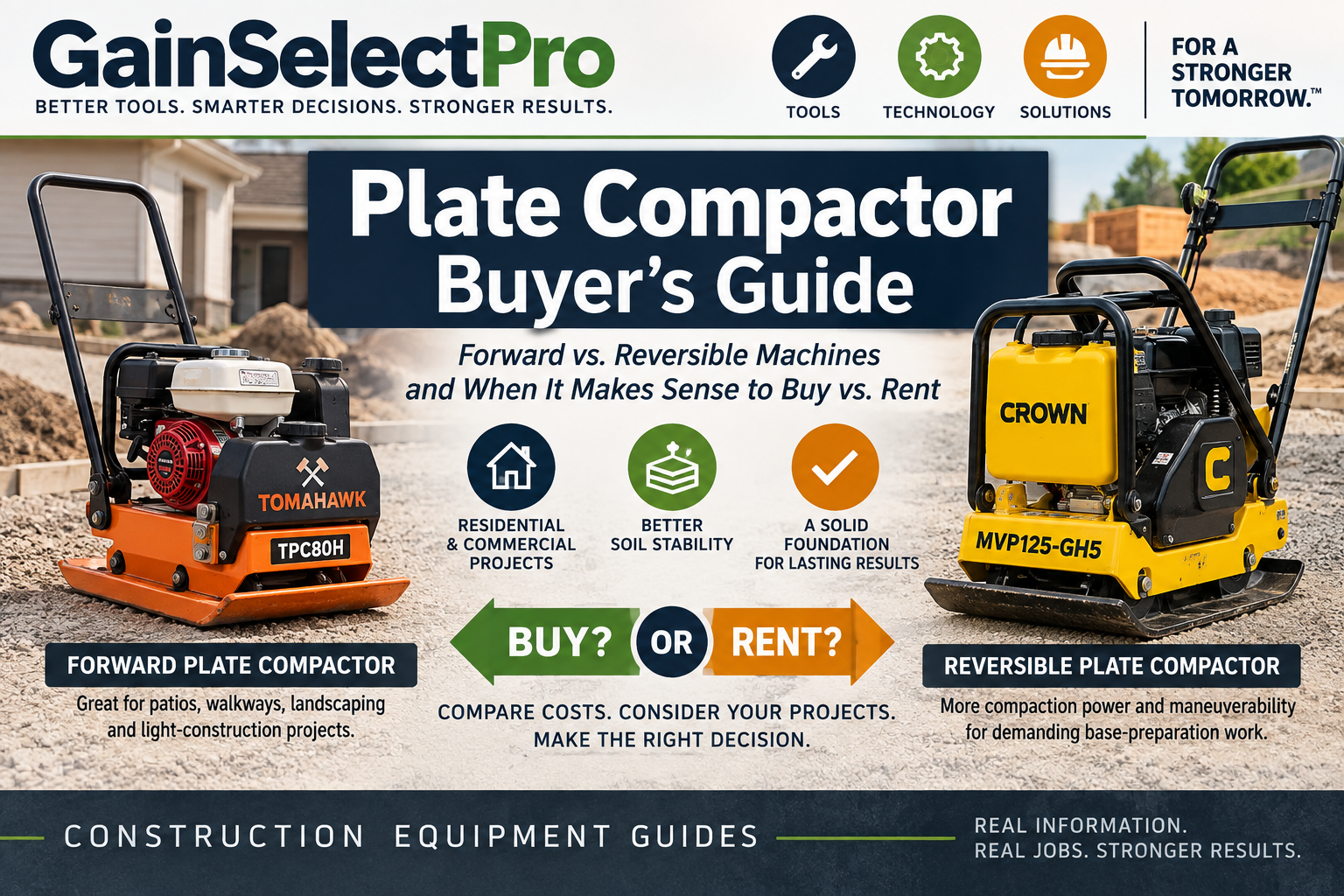
    Tomahawk TPC80H — Forward Plate Compactor for Smaller and Mid-Size Jobs

    The Tomahawk TPC80H is a forward plate compactor designed for applications such as patios, foundations, landscaping, and other areas where contractors need substantial compaction capability without moving up to a larger reversible machine. Its relatively compact plate also makes it worth considering for jobs where maneuverability matters.

    Key specifications: Honda GX160 5.5 HP engine, 17 × 21-inch plate, 3,000 lbs/ft² listed compaction force, 6,400 vibrations per minute, 79 ft/min listed travel speed, and approximately 182 lb machine weight.

    Why consider it: The TPC80H sits in a useful middle ground for contractors who want a professional forward plate compactor but may not need the additional size, weight, and cost of a reversible machine. Its Honda engine and relatively compact plate make it particularly relevant for recurring residential and light-construction compaction work.

    Check current Tomahawk TPC80H price and availability at Concrete Tools Direct →

    Crown MVP125-GH5 — Reversible Plate Compactor for More Demanding Work

    The Crown MVP125-GH5 is a reversible plate compactor designed for contractors who need more maneuverability and compaction capability than a typical forward-only machine. Its ability to travel both forward and reverse can be particularly useful on larger base-preparation jobs or in work areas where repeatedly turning the machine around would be inconvenient.

    Key specifications: Honda GX160 5.5 HP engine, 25 × 16-inch plate, 5,620 lbs/ft² listed compaction force, 4,300 vibrations per minute, 50 ft/min listed travel speed, and approximately 180 lb machine weight.

    Why consider it: The MVP125-GH5 provides reversible operation without the extreme weight of some larger reversible compactors. That combination may appeal to contractors who need more control and compaction capability for demanding base work while still considering transportation and jobsite maneuverability.

    Check current Crown MVP125-GH5 price and availability at Concrete Tools Direct →

    How to Choose Between These Two Plate Compactors

    The choice between these two machines is less about which one is “better” and more about the type of work you expect to perform. The Tomahawk TPC80H is a forward plate compactor and may be the more practical starting point for contractors regularly working on patios, walkways, landscaping, paver bases, and similar residential or light-construction projects.

    The Crown MVP125-GH5 adds reversible operation and substantially higher listed compaction force, making it worth considering for contractors handling more demanding base preparation or jobs where moving the machine forward and backward can improve maneuverability.

    Before choosing either machine, consider the material you normally compact, jobsite access, transportation, required compaction, frequency of use, and whether the additional cost of a reversible machine would provide a meaningful benefit on your typical projects.

    Final Thoughts: Buy the Machine That Fits Your Work

    A plate compactor can be a valuable investment when it matches the work you perform regularly. The goal is not to buy the largest or most powerful machine available, but to choose equipment that can handle your typical materials and projects without creating unnecessary cost, weight, or transportation problems.

    For contractors doing primarily patios, walkways, paver bases, landscaping, and similar work, a forward plate compactor may provide the capability needed without moving into a heavier reversible machine. Contractors handling larger or more demanding base preparation may benefit from the additional maneuverability and compaction capability of a reversible model.

    If you are still unsure whether ownership makes financial sense, compare the purchase cost with what you realistically spend on rentals, transportation, pickup and return time, and how frequently the machine would be used. Sometimes buying is the better long-term decision. In other situations, renting the right machine for each project is the smarter choice.

    The right plate compactor is the one that fits the work—not simply the one with the biggest specifications.
  • Is a MudMixer Worth It? A Practical Guide for Contractors

    Is a MudMixer Worth It? A Practical Guide for Contractors

    For contractors who regularly mix bagged concrete, mortar, grout, or similar materials, the time spent loading a traditional mixer, waiting for each batch, moving material, and starting over can add up quickly.

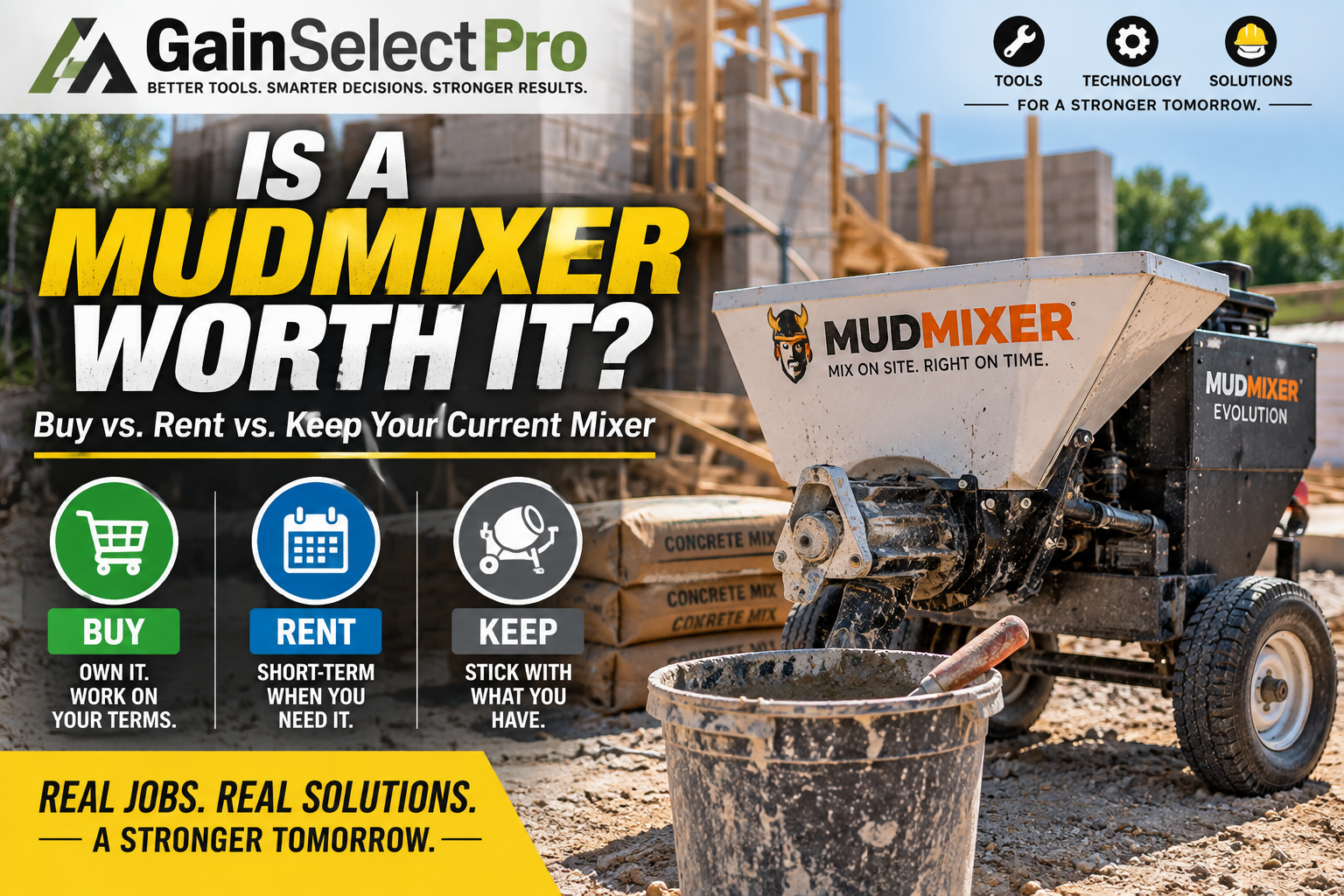
    The MudMixer Evolution takes a different approach. Instead of mixing one batch at a time in a drum, it continuously combines dry material and water as material moves through the machine.

    That sounds convenient—but with an investment of several thousand dollars, the more important question is: does a MudMixer actually make financial sense for the type of work you do?

    Affiliate Disclosure: GainSelectPro may earn a commission if you purchase through certain links on this page, at no additional cost to you. Our goal is to provide useful information that helps you evaluate whether a product fits your needs.

    Quick Answer: Is a MudMixer Worth It?

    A MudMixer may make sense for contractors and small crews that regularly mix significant quantities of bagged material and can benefit from continuous production, reduced handling, and direct placement near the work area.

    It may make considerably less sense for someone who mixes only occasionally, handles very small quantities, or can economically use ready-mix delivery for most larger pours.

    The real question isn’t whether the MudMixer is faster than mixing a few bags by hand. It is whether the time and labor it can potentially save across repeated jobs are worth the purchase price for your operation.

    How the MudMixer Evolution Works

    Traditional portable drum mixers operate in batches: load the material, add water, mix, discharge the batch, and repeat.

    The MudMixer Evolution uses a continuous-feed system instead. Dry material is loaded into the hopper while an auger and controlled water supply mix the material as it travels toward the discharge chute.

    According to MudMixer’s current specifications, the Evolution can process more than 45 80-lb bags per hour, with continuous output of approximately one cubic yard per hour.

    The machine uses standard 120-volt electrical power and has a 120-lb hopper capacity.

    That continuous process is the main reason to consider the machine. The value isn’t simply that it mixes concrete—it is the possibility of reducing the stop-and-start cycle associated with traditional batch mixing.

    Check current MudMixer Evolution options and pricing at Concrete Tools Direct →

    Where a MudMixer Could Save Time

    The strongest case for owning a MudMixer is repeated work involving bagged material.

    Examples may include:

    Fence posts and footings

    Small concrete pads

    Repair and patch work

    Block, brick, and stone work

    Mortar and grout applications

    Jobs where ready-mix access is difficult or impractical

    Projects where a small crew needs to control when material is mixed and placed

    Being able to mix material as it is needed can potentially reduce waiting and unnecessary handling.

    For a contractor performing this type of work repeatedly, small labor savings on each project can accumulate over time.

    MudMixer vs. Traditional Drum Mixer

    A traditional drum mixer still has an important advantage: purchase price.

    For occasional work, a conventional mixer can accomplish the job for substantially less initial investment.

    The tradeoff is workflow.

    A drum mixer operates in individual batches. The MudMixer is designed around continuous production and direct placement.

    That means the buying decision should not be based solely on which machine costs less. A contractor should consider how many labor hours are spent loading, mixing, unloading, moving, and restarting batches over the course of a typical month.

    If that process represents meaningful labor expense, a continuous mixer becomes more interesting.

    If you only mix a handful of bags occasionally, the economics are very different.

    MudMixer vs. Ready-Mix Concrete

    A MudMixer isn’t a replacement for a ready-mix truck in every situation.

    Large pours can quickly reach a point where ordering ready-mix is more practical than handling individual bags.

    But ready-mix can also introduce considerations such as minimum quantities, delivery scheduling, short-load charges, site access, waiting time, and the need to place material according to the supplier’s schedule.

    The MudMixer occupies a different position: jobs large enough that manual or batch mixing becomes inefficient, but not necessarily large enough to justify—or conveniently accommodate—a ready-mix delivery.

    That middle ground may be where the machine provides its strongest value.

    Current MudMixer Evolution Specifications

    MudMixer currently lists the Evolution with the following key specifications:

    Output: 45+ 80-lb bags per hour

    Continuous output: Approximately 1 cubic yard per hour

    Hopper capacity: 120 lbs.

    Electrical requirement: 120 volts

    Motor: 250 W

    Machine weight: Approximately 145 lbs.

    Setup time: Under 5 minutes

    Cleanup time: Approximately 5 minutes

    Warranty: 2-year commercial warranty

    Specifications can change, so verify current information with the manufacturer before purchasing.

    Who Should Consider Buying a MudMixer?

    The MudMixer deserves a closer look if your business regularly handles bagged concrete or similar materials and labor efficiency is important.

    It may be particularly relevant for contractors working with small crews, because reducing material-handling steps can allow available labor to focus on placement and finishing rather than repeatedly managing a batch mixer.

    Frequency matters.

    A machine that saves time every week has a very different economic case from one that sits unused for months.

    Who Probably Shouldn’t Buy One?

    Not every contractor needs a MudMixer.

    You may be better served by a less expensive mixer or rental if you:

    Mix concrete only a few times per year

    Typically need only a few bags at a time

    Already have an efficient mixing process

    Primarily perform pours large enough for ready-mix delivery

    Cannot conveniently provide the required electrical and water supply at your jobsites

    Are unlikely to use the machine frequently enough to recover the investment

    Buying specialized equipment simply because it is faster doesn’t necessarily make the equipment profitable.

    Utilization is what matters.

    Rent, Buy, or Keep Using What You Have?

    Before spending several thousand dollars, consider three questions.

    First: How often would you actually use the machine?

    Second: How much labor time could it realistically save on those jobs?

    Third: What does your current mixing method cost when equipment, labor, transportation, rental fees, and downtime are considered?

    For an occasional user, renting or continuing with an existing mixer may be the sensible choice.

    For a contractor repeatedly paying labor to perform the same mixing and handling steps, ownership becomes easier to justify.

    The correct answer depends on your workload—not the marketing claims surrounding the machine.

    Our Starting Point

    We would evaluate the MudMixer primarily as a labor and workflow investment rather than simply as a concrete mixer.

    Its continuous-feed design, 45+ bag-per-hour rated output, portable format, and ability to place mixed material directly near the work area address real jobsite inefficiencies.

    But at a purchase price in the several-thousand-dollar range, utilization is critical.

    If your crew regularly mixes bagged material, compare the purchase price against the labor hours, rental costs, delays, and handling steps the machine could potentially eliminate.

    If the machine would only come out a few times each year, the numbers may point in another direction.

    Compare current MudMixer Evolution models, bundles, and pricing at Concrete Tools Direct →

    Prices, promotions, availability, specifications, and included accessories can change. Verify current product information with the manufacturer or retailer before purchasing.

  • Husqvarna K770 Models Compared: Which Power Cutter Is Right for Your Job?

    Husqvarna K770 Models Compared: Which Power Cutter Is Right for Your Job?

    Choosing a professional power cutter isn’t simply a matter of buying the most expensive model. The right machine depends on what you’re cutting, where you’re working, how you plan to control dust, and how much cutting versatility you actually need.

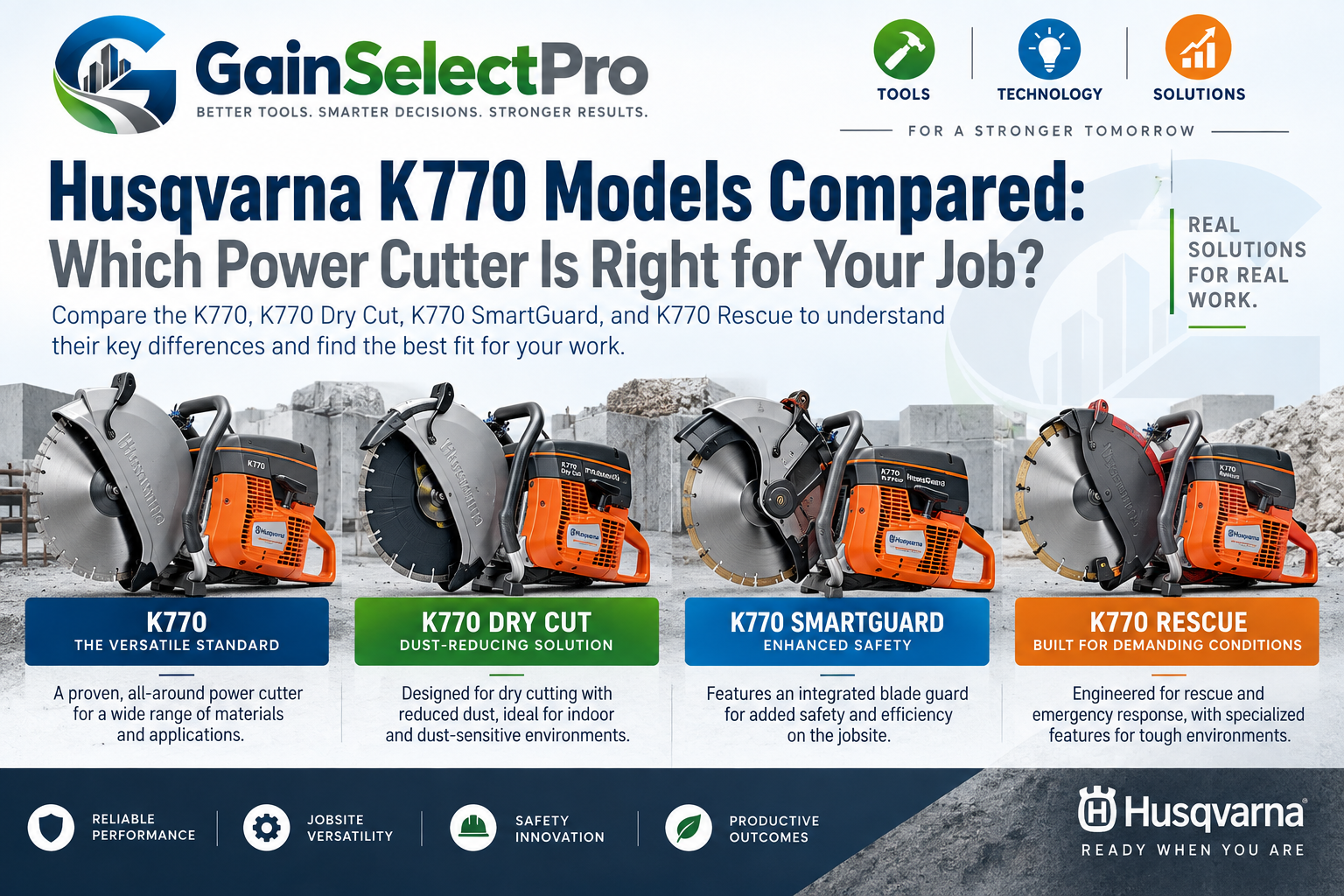
    The Husqvarna K770 family includes several machines designed around different working conditions. This guide compares the standard K770, K770 Dry Cut, K770 SmartGuard, and K770 Rescue to help you understand the differences before deciding which configuration fits your work.

    Affiliate Disclosure: GainSelectPro may earn a commission if you purchase through certain links on this page, at no additional cost to you. Our goal is to provide useful information that helps you evaluate the options for your needs.

    Quick Answer: Which K770 Should You Consider?

    For general concrete, masonry, asphalt, blocks, curbstones and similar cutting work, the standard K770 is the logical place to start.

    Consider the K770 Dry Cut when dust containment and dry cutting are particularly important. Consider the K770 SmartGuard when the additional blade-guard design fits your safety requirements. The K770 Rescue is a specialized machine developed primarily for rescue and clearing operations.

    The important point is that these machines aren’t interchangeable simply because they share the K770 name.

    Standard Husqvarna K770: The General-Purpose Choice

    The standard K770 is a gasoline-powered professional cutter designed for a broad range of cutting applications. Husqvarna’s current 14-inch configuration is rated at 5.3 hp, accepts a maximum 14-inch blade, and provides a maximum cutting depth of approximately 5 inches.

    Typical applications identified by Husqvarna include asphalt, cast concrete, blocks, curbstones, pavers, floors and walls.

    For a contractor who needs one versatile K770 rather than a machine designed around a specialized application, this is the model we would compare first.

    Check the Husqvarna K770 options and current pricing at Concrete Tools Direct →

    K770 Dry Cut: When Dust Control Changes the Decision

    The K770 Dry Cut takes a different approach. It is designed specifically for dry cutting and incorporates dust extraction into the machine.

    Husqvarna’s current model uses a 12-inch maximum blade, produces 5.3 hp, and provides a maximum cutting depth of approximately 4.8 inches. Husqvarna states that its integrated airflow system moves dust into a reusable collection bag.

    That makes the Dry Cut particularly worth comparing when access to water is inconvenient or when controlling airborne cutting dust is an important part of the job.

    It isn’t automatically the better K770. You’re paying for a configuration designed around a particular working condition, so the additional capability should solve a problem you actually have.

    K770 SmartGuard: Additional Guard Protection

    The K770 SmartGuard is another specialized configuration. It combines the K770 platform with Husqvarna’s SmartGuard blade-cover system.

    Its current specifications include 5.3 hp, a maximum 14-inch blade, and approximately 5 inches of maximum cutting depth.

    This model deserves consideration when the SmartGuard configuration is relevant to the way your crew works, rather than simply because it carries an additional feature.

    K770 Rescue: A Specialized Machine

    The K770 Rescue should not be treated as merely another contractor saw.

    Husqvarna specifically developed this version for rescue and clearing work. It includes features such as a magnesium blade guard designed for visibility in smoke and water spray, a specially designed starter handle, an adjustable carrying strap, and a digital ignition system.

    The current K770 Rescue is rated at 5.3 hp, accepts a maximum 12-inch blade, and provides approximately 4 inches of maximum cutting depth.

    For most ordinary construction buyers, the standard K770 or another construction-focused configuration is likely the more relevant comparison. Rescue professionals, however, have very different requirements.

    K770 Comparison at a Glance

    ModelBest ForMax. BladeMax. Cutting Depth
    Standard K770General construction14 in.Approx. 5 in.
    K770 Dry CutDry cutting & integrated dust collection12 in.Approx. 4.8 in.
    K770 SmartGuardAdditional blade guarding14 in.Approx. 5 in.
    K770 RescueRescue & clearing operations12 in.Approx. 4 in.

    Power: All four K770 configurations compared above are rated at 5.3 hp.

    Don’t Choose by Price Alone

    A lower purchase price doesn’t necessarily make a power cutter the better value, and a more expensive configuration isn’t automatically better.

    Think about what the machine will actually be asked to do:

    How frequently will it be used?

    What materials will you cut most often?

    Do you normally have water available for dust suppression?

    Is integrated dust collection important to your work?

    Do you actually need a specialized configuration?

    Which blade and accessories will the work require?

    The objective is to match the equipment to the job rather than paying for capabilities you may rarely use.

    Our Starting Point

    For a contractor looking for a versatile professional power cutter for ordinary construction applications, we would begin the comparison with the standard K770.

    The Dry Cut becomes particularly interesting when dry cutting and dust collection are priorities. SmartGuard offers another configuration for buyers interested in its additional guarding system, while the Rescue model is intended for a much more specialized user.

    Compare Husqvarna K770 models and current pricing at Concrete Tools Direct →

    Prices, availability, specifications and product configurations can change. Verify current product information with the manufacturer or retailer before purchasing.

  • Construction Management Software for Small Contractors

    Construction management software can help small contractors organize estimates, schedules, job costs, change orders, documents, and communication in one place. But not every contractor needs the most expensive or complicated system. The real question is whether the software can solve everyday problems, save enough time, and prevent enough costly mistakes to justify the investment.

    What Should Construction Management Software Actually Do?

    For a small contractor, good construction management software should make important information easier to find and everyday tasks easier to manage. It should help reduce duplicate work, improve communication, keep project details organized, and provide a clearer picture of what is happening on each job.

    1. Estimating and Proposals

    Estimates are where project profitability begins. Software can help contractors organize labor, material, equipment, and subcontractor costs while creating professional proposals more efficiently. The goal is not simply to produce estimates faster, but to make them more consistent and easier to review.

    2. Scheduling and Project Coordination

    Scheduling tools can help contractors coordinate crews, subcontractors, materials, equipment, and important project deadlines. A clear, up-to-date schedule can make it easier to identify potential conflicts early and reduce expensive downtime caused by poor coordination.

    3. Change Orders and Documentation

    Changes are common on construction projects, but undocumented work can quickly become lost revenue. Software can help contractors record change orders, attach supporting information, track approvals, and keep a clear record of additional work so that completed changes are less likely to go unbilled.

    4. Job Cost Tracking

    A project can look successful while still producing less profit than expected. Job cost tracking helps contractors compare estimated costs with actual labor, materials, equipment, and subcontractor expenses. This information can reveal where a project gained or lost money and help improve pricing on future jobs.

    5. Communication and Project Information

    Keeping project information in one place can reduce confusion between the office, field crews, subcontractors, suppliers, and customers. When everyone can access current schedules, documents, updates, and other important information, contractors can reduce misunderstandings that lead to delays, mistakes, and rework.

    6. Documents and File Organization

    Construction projects can generate a large number of documents, including proposals, contracts, plans, photos, receipts, invoices, and change orders. Keeping these files organized and connected to the correct project can save time and make important information easier to find when it is needed.

    7. Administrative Efficiency

    Administrative work is necessary, but it should not consume more time than needed. The right software can help reduce repetitive data entry, organize routine tasks, and make information easier to access so contractors can spend more time managing projects, serving customers, and pursuing profitable work.

    Choosing Software Based on Value, Not Features

    More features do not automatically make software more valuable. A small contractor may benefit more from a simple system that the team actually uses than from a complicated platform filled with features they rarely need. The best choice is the one that solves important problems, fits the way the business operates, and saves enough time or money to justify its cost.

    Before choosing a platform, contractors should identify where they are currently losing the most time or money and then evaluate whether a particular solution addresses those problems effectively. In future GainSelectPro articles, we’ll take a closer look at construction management tools and the practical differences that may matter most to small contractors.

  • 7 Ways Small Contractors Lose Money Without Realizing It

    Running a successful contracting business is not only about winning more jobs. Sometimes the fastest way to improve profitability is to stop the small losses already happening inside the business. Poor estimating, wasted materials, scheduling problems, missed change orders, and inefficient communication can quietly reduce the profit on an otherwise successful project.

    1. Inaccurate Estimating

    A small estimating error can follow a contractor through an entire project. Underestimating labor, materials, equipment, or subcontractor costs can turn a profitable job into a disappointing one. Building estimates from accurate, current information—and reviewing actual costs after each project—can help make future estimates more reliable.

    2. Material Waste

    Extra material is sometimes unavoidable, but repeated over-ordering, poor storage, damaged materials, and inaccurate takeoffs can quietly eat into profit. Tracking what was ordered, what was actually used, and what was wasted can reveal patterns that are easy to miss from one project to the next.

    3. Untracked Change Orders

    Changes happen on construction projects all the time. The problem begins when additional work is performed but never properly documented, approved, or billed. Even several small changes can represent a significant amount of lost revenue. A simple process for documenting changes before the work is completed can help protect both the contractor and the customer.

    4. Scheduling Delays

    A crew waiting for materials, equipment, information, or another trade is still costing the business money. Poor scheduling can create downtime, extend project timelines, and make it harder to move crews efficiently between jobs. Keeping schedules current and identifying potential delays early can help reduce expensive idle time.

    5. Poor Communication

    Miscommunication between the office, field crews, subcontractors, suppliers, and customers can lead to mistakes, rework, delays, and unexpected costs. Keeping important project information organized and making sure everyone is working from the same information can prevent small misunderstandings from becoming expensive problems.

    6. Not Tracking Actual Job Costs

    Winning a job does not necessarily mean the job was profitable. Without comparing estimated costs with actual labor, materials, equipment, and subcontractor expenses, contractors may not know where profits were gained or lost. Reviewing actual job costs can provide valuable information for pricing future projects more accurately.

    7. Spending Too Much Time on Administrative Work

    Estimates, schedules, invoices, paperwork, customer communication, and project updates all require time. When these tasks are handled inefficiently, contractors can spend valuable hours on administration instead of managing projects or pursuing new business. Simple processes and the right tools can reduce repetitive work and help contractors use their time more effectively.

    Small Improvements Can Protect Your Profit

    Contractors do not always need more jobs to improve profitability. Sometimes the biggest opportunity is finding where time and money are already being lost. Better estimating, tighter material control, documented change orders, improved scheduling, clearer communication, accurate job costing, and more efficient administrative processes can all help protect the profit already built into a project.

    Technology can also help bring many of these processes together. In our next article, we’ll look at what construction management software can do for small contractors—and which features may actually be worth paying for.